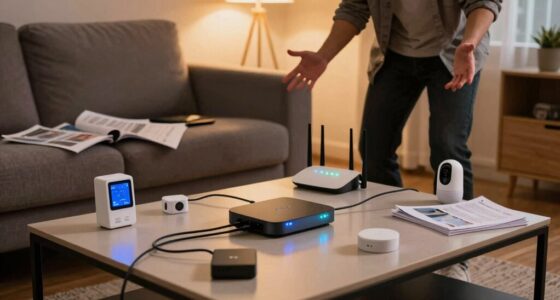

A smart home feels fast when your devices respond instantly, thanks to a reliable, high-speed network that minimizes delays. Ensuring your Wi-Fi has low latency and high data throughput is essential for quick voice commands and smooth device control. Stable connections prevent drops and errors, making everything work seamlessly together. Regularly monitoring and maintaining your network keeps performance ideal. Keep going to find out how to optimize your setup further for the fastest smart home experience.
Key Takeaways
- Ensure a low-latency, high-speed Wi-Fi network for quick command processing and device responses.
- Regularly monitor and optimize network performance to prevent bottlenecks and disconnections.
- Use reliable, compatible devices that respond instantly to commands without delays.
- Maintain strong network stability to keep all devices synchronized and functioning seamlessly.
- Minimize network congestion by managing bandwidth and prioritizing smart home traffic.
In today’s connected world, the speed of your smart home’s network can make all the difference. When your devices respond quickly and reliably, your experience feels seamless and efficient. One of the most noticeable signs of a fast, well-functioning smart home is voice command responsiveness. When you speak, your smart assistant should process and act on your commands immediately, without lag or confusion. If it takes too long to recognize your voice or execute tasks, frustration builds, and the entire system feels sluggish. Achieving quick voice responses depends on a robust network that prioritizes low latency and high data throughput. When your Wi-Fi connection is fast and stable, your voice commands go through smoothly, making interactions feel natural and effortless. A strong and reliable network connection is fundamental for maintaining optimal performance across all devices. Ensuring your network is optimized for low latency can significantly improve overall responsiveness and user satisfaction. Regularly monitoring your network performance helps identify potential bottlenecks before they impact your experience, keeping your smart home running at peak speed.
Device network stability is another crucial factor that influences how fast and frustration-free your smart home feels. If your devices frequently disconnect or drop out, even simple commands become a chore. A stable network ensures that all your smart devices stay connected and communicate efficiently with each other. This stability minimizes delays, reduces errors, and keeps your entire system synchronized. You want your lights to turn on instantly, your thermostats to respond promptly, and your security cameras to stream footage without interruption. When your network is reliable, you won’t need to repeat commands or troubleshoot connectivity issues constantly. Instead, your smart home functions as a cohesive system, reacting swiftly to your needs. Understanding the importance of low latency can help you optimize your setup for quicker device responses. Conducting periodic network assessments can help maintain a fast, dependable system and prevent frustration down the line.

TP-Link AC1900 Smart WiFi Router Dual Band Router for Wireless Internet
- Wireless Speed: Up to 600 Mbps on 2.4GHz, 1300 Mbps on 5GHz
- Dual Band WiFi: Supports 2.4GHz and 5GHz bands
- OneMesh Compatibility: Creates seamless WiFi with extenders
As an affiliate, we earn on qualifying purchases.
As an affiliate, we earn on qualifying purchases.
Frequently Asked Questions
How Does Internet Speed Affect Smart Home Responsiveness?
Your internet speed directly impacts your smart home’s responsiveness. Faster speeds guarantee ample bandwidth allocation, allowing devices to communicate quickly without delays. However, signal interference from other electronics or Wi-Fi congestion can slow down responses, making your smart home feel frustrating. To keep things running smoothly, you should optimize your network, reduce interference, and upgrade your internet plan if needed, ensuring seamless and fast device interactions.
Can Outdated Devices Slow Down My Smart Home?
Outdated devices can turn your smart home into a sluggish, snail-paced nightmare. They often struggle with device compatibility and miss essential firmware updates, causing delays and hiccups. Imagine trying to run a race with a broken shoe—frustrating and slow. To keep things running smoothly, regularly check for firmware updates and replace incompatible devices. Staying current guarantees your smart home responds fast, not frustratingly sluggish.
What Role Does Wi-Fi Mesh Networking Play?
Wi-Fi mesh networking plays a vital role in making your smart home feel fast by ensuring seamless coverage across all devices. It helps overcome signal interference and device compatibility issues by creating a unified network, reducing dead zones. With mesh, your devices stay connected at high speeds, minimizing lag and frustration, so your smart home responds quickly and smoothly, providing a more efficient and enjoyable experience.
How Do Smart Home Hubs Impact Performance?
Smart home hubs greatly impact performance by streamlining smart device control through smart hub integration, reducing lag and confusion. They guarantee better device compatibility, which means your devices work seamlessly together. By centralizing commands and automations, hubs minimize network congestion, making your smart home feel fast and responsive. When you choose a hub with good compatibility, you’ll enjoy quicker responses and fewer frustrations, creating a smoother, more enjoyable smart home experience.
Are Wired Connections Better Than Wireless for Speed?
Wired connections are generally better than wireless for speed because they eliminate issues like wireless interference and provide consistent signal strength. When you use Ethernet cables, your devices communicate directly with your router, reducing latency and avoiding disruptions caused by interference from other devices or walls. This results in faster, more reliable performance, making your smart home feel seamless and responsive instead of frustrating.

TP-Link Deco X55 AX3000 WiFi 6 Mesh System – Covers up to 6500 Sq.Ft, Replaces Wireless Router and Extender, 3 Gigabit Ports per Unit, Supports Ethernet Backhaul, Deco X55(3-Pack)
- Wi-Fi 6 Mesh Technology: AX3000 speeds for seamless connectivity
- Wide Coverage: Up to 6500 sq. ft. of Wi-Fi coverage
- Supports Multiple Devices: Connects up to 150 devices reliably
As an affiliate, we earn on qualifying purchases.
As an affiliate, we earn on qualifying purchases.
Conclusion
Think of your smart home as the racehorse of your tech world—speed is everything. When you optimize your devices and network, you’re channeling the spirit of Pegasus, soaring effortlessly through the clouds. Don’t let sluggish responses turn your home into Sisyphus’s endless task; instead, keep everything streamlined and responsive. With a little tuning, your smart home will feel like the flash of Hermes, swift and reliable—making your daily routines feel more like magic than frustration.

Klein Tools VDV500-705 Wire Tracer Tone Generator and Probe Kit for Ethernet, Internet, Telephone, Speaker, Coax, Video, and Data Cables RJ45, RJ11, RJ12
- Easy Wire Tracing: Analog tone generator and probe for low-voltage wires
- Optimized Signal Detection: Separate wires and ground for better accuracy
- Alligator Clips Included: For easy connection to unterminated wires
As an affiliate, we earn on qualifying purchases.
As an affiliate, we earn on qualifying purchases.
TP-Link AC1900 Smart WiFi Router Dual Band Router for Wireless Internet
- Wireless Speed: Up to 600 Mbps on 2.4GHz, 1300 Mbps on 5GHz
- Dual Band WiFi: Supports 2.4GHz and 5GHz bands
- OneMesh Compatibility: Creates seamless WiFi with extenders
As an affiliate, we earn on qualifying purchases.
As an affiliate, we earn on qualifying purchases.