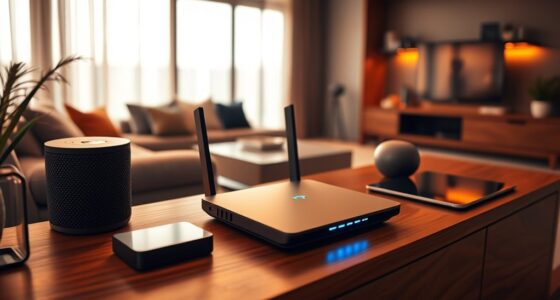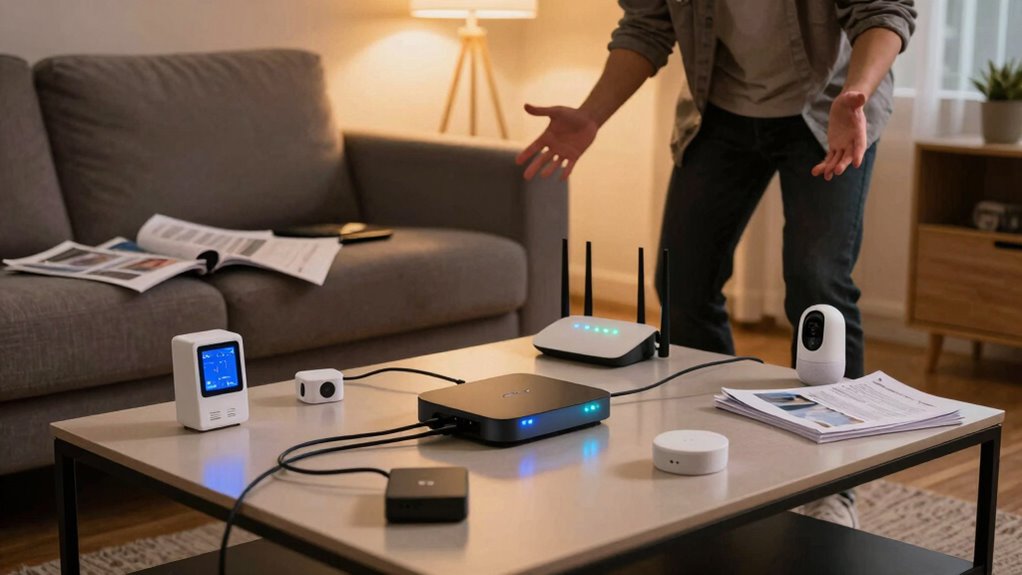

If you overlook Wi-Fi when setting up your smart home, you risk frequent disruptions and unreliable device performance. Poor coverage or weak signals cause delays in voice commands and prevent devices from responding properly. Network congestion and interference can further degrade performance, making everyday tasks harder. Without a solid Wi-Fi foundation, energy management and device control become inconsistent, leading to frustration. Keep going, and you’ll discover how to guarantee a seamless, efficient smart home experience.

Get your next haul delivered free with Prime
- Fast, free delivery on millions of items
- Prime Video, Amazon Music and more included
- Member-only deals all year
Key Takeaways
- Poor Wi-Fi coverage causes device disconnections, leading to failed automation and user frustration.
- Neglecting proper setup results in network congestion and interference, degrading device responsiveness.
- Inadequate equipment quality and placement reduce connection reliability, affecting smart device performance.
- Without a dedicated or optimized network, smart devices struggle with communication and responsiveness.
- Weak Wi-Fi leads to energy management issues, causing devices to operate inefficiently or fail to respond.

Despite the convenience of smart home devices, Wi-Fi failures can quickly disrupt your connected lifestyle. When your network isn’t reliable, even basic tasks become frustrating. Many people overlook the importance of a robust Wi-Fi setup, assuming that their internet connection will always be stable enough for smart devices to function smoothly. However, this assumption can lead to significant issues, especially when it comes to voice command integration and energy consumption management. Without a strong, consistent Wi-Fi signal, your voice-controlled assistants won’t respond promptly or accurately, making voice command features nearly useless in times of network interruption. You might find yourself frustrated trying to turn on lights or adjust the thermostat, only to realize that your commands aren’t reaching your devices because of a weak or unstable connection.
Wi-Fi failures disrupt smart home tasks and voice commands, causing frustration and inefficiency in managing devices.
Energy consumption management, another critical aspect of smart home setups, heavily depends on reliable Wi-Fi. When devices like smart thermostats, lighting systems, or appliances lose connection, they often revert to their default states or stop responding altogether. This can lead to increased energy wastage, as your heating or cooling system might run longer than necessary, or lights could stay on because your commands aren’t reaching their intended targets. A stable Wi-Fi ensures that these devices communicate seamlessly, allowing you to optimize energy use and reduce costs. When your network fails or becomes unreliable, you lose that control, and energy efficiency suffers as a result. Ensuring proper Wi-Fi coverage in your entire home can prevent these issues and keep your smart devices functioning optimally. Proper Wi-Fi placement and equipment quality play a crucial role in maintaining this stability. Additionally, network congestion from too many connected devices can significantly degrade performance, further emphasizing the need for a well-planned setup. A dedicated network for smart devices can also help prevent interference and improve reliability.
Many homeowners neglect the importance of proper Wi-Fi placement and equipment quality. If your router isn’t positioned centrally or if your network is bogged down by too many devices, your smart setup will struggle to perform reliably. This oversight can cause intermittent failures that are particularly noticeable when trying to execute voice commands or manage energy settings remotely. In these moments, it’s clear that a strong Wi-Fi foundation isn’t just a luxury but a necessity for a fully functional smart home. Upgrading your router, using mesh networks, or adding Wi-Fi extenders can significantly improve stability, ensuring your voice command integration works flawlessly and your energy management remains efficient. Recognizing the importance of network reliability can make all the difference in your smart home experience.
Products Worth Considering

Philips Hue Iris Smart LED Table Lamp (White)

LEVOIT Vital 200S-P Smart Air Purifier for Large Rooms up to 1875 ft², Quiet 27 dB Operation, AHAM Verifide, HEPA Sleep Mode, White

LG 55-Inch QNED73B Mini LED 4K Smart TV (2026)
As an affiliate, we earn on qualifying purchases.
Frequently Asked Questions
How Can I Troubleshoot My Smart Home Wi-Fi Connectivity Issues?
To troubleshoot your smart home Wi-Fi issues, start by checking device placement; guarantee your devices are close to your router and away from thick walls or metal objects. Reduce signal interference by minimizing electronic devices that can cause disruptions nearby. Restart your router, update firmware, and reset affected devices. If problems persist, consider upgrading your Wi-Fi plan or adding a mesh system for better coverage across your home.
What Are the Best Wi-Fi Standards for Smart Home Devices?
You should prioritize Wi-Fi standards like Wi-Fi 5 (802.11ac) or Wi-Fi 6 (802.11ax) for smart home devices, as they support higher bandwidth and better device management. Mesh networks are ideal because they extend coverage seamlessly, reducing dead zones. Additionally, guarantee proper bandwidth management to prevent devices from competing for the same resources, which keeps your smart home running smoothly and reduces connectivity issues.
How Many Devices Can a Typical Wi-Fi Router Support Effectively?
A typical Wi-Fi router can support around 20 to 50 devices effectively, but this varies with network activity. You might think you’re hosting a tiny gathering, but device congestion and signal interference can turn your smart home into a digital traffic jam. Too many devices overload the router, causing slowdowns or disconnects. To keep smart gadgets running smoothly, make certain your router handles your device load and minimizes interference.
What Security Measures Protect Smart Home Wi-Fi Networks?
You protect your smart home Wi-Fi network with strong encryption protocols like WPA3, making it harder for hackers to access your devices. Good password management is essential, so you should use complex, unique passwords for your router and devices. Regularly update your firmware and disable remote management features. These steps create a secure environment, reducing risks and ensuring your smart home’s connected devices stay safe.
Does Adding a Wi-Fi Extender Improve Smart Home Device Performance?
Adding a Wi-Fi extender can greatly boost your smart home device performance by broadening Wi-Fi coverage and strengthening signal strength. When you extend your network, you eliminate dead zones, ensuring your devices stay connected and responsive. This simple, cost-effective solution helps maintain seamless smart home operation, preventing frustrating disconnects and slowdowns. With improved signal strength, your devices function more efficiently, providing a smarter, smoother, and more secure smart home experience.
Conclusion
If you overlook your Wi-Fi when setting up your smart home, you’re risking more than just slow connections—you could be wasting up to 40% of your device’s potential. Imagine installing a smart thermostat or security camera only for it to lag or drop out during vital moments. Don’t let poor Wi-Fi be the weak link in your smart home. Prioritize a strong, reliable network now, or face the frustration of devices that just won’t cooperate when you need them most.