Scenes, routines, and automations are core features that help you customize and control your smart home setup effortlessly. Scenes activate preset device configurations with a tap or voice command, setting the mood for activities like movie nights or dinner. Routines run automatically based on schedules or triggers, automating daily tasks and energy management. Automations combine triggers, conditions, and actions to create complex, personalized sequences. Understanding these tools helps you create a smarter, safer, and more comfortable home environment—keep exploring to reveal their full potential.

Get your next haul delivered free with Prime
- Fast, free delivery on millions of items
- Prime Video, Amazon Music and more included
- Member-only deals all year
Key Takeaways
- Scenes are preset configurations that quickly set multiple devices for specific moods or occasions.
- Routines are automated sequences that run based on triggers or schedules to streamline daily tasks.
- Automations are complex, customizable actions combining triggers, conditions, and responses for personalized control.
- Scenes enhance security and ambiance, while routines and automations optimize energy use and safety.
- All three tools work together to create a responsive, efficient, and secure smart home environment.
Have you ever wished your smart home could anticipate your needs and simplify your day? That’s exactly what scenes, routines, and automations aim to do. These features transform your house into a responsive environment, making everyday life more convenient, secure, and efficient. Understanding how they work can help you harness their full potential, especially in areas like smart home security and energy management.
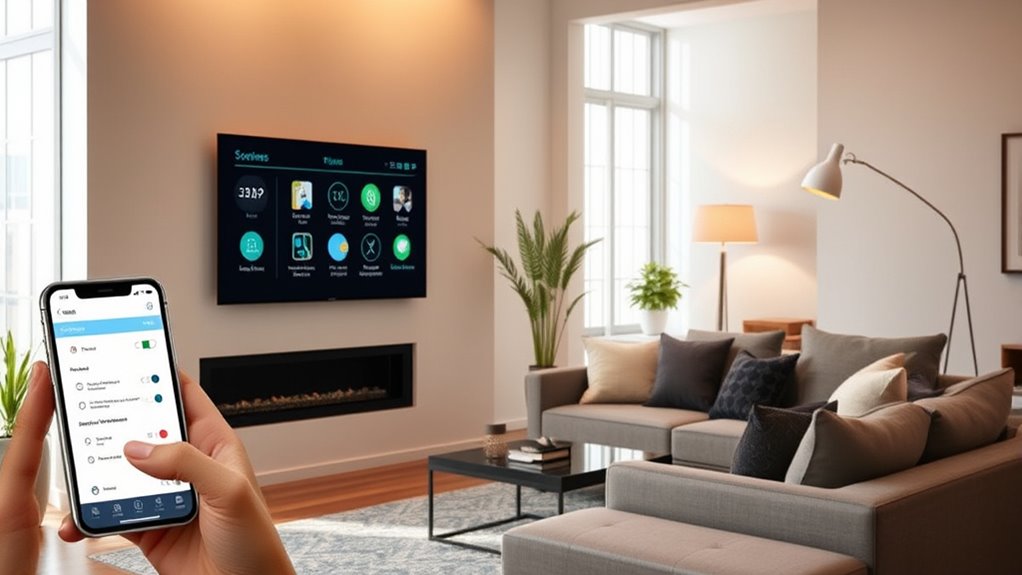
Scenes are like preset configurations you activate with a tap or voice command. Imagine walking into your living room, and with a single press, your lights dim, your favorite music plays, and the temperature adjusts to your comfort. Scenes are customizable and can set the mood for movie nights, dinner parties, or relaxing weekends. They’re perfect for creating the ambiance you want without fiddling with individual devices. When it comes to smart home security, scenes can tighten the security system at night or when you leave the house, activating cameras, locking doors, and setting alarms all at once. This way, you’re always in control, and your home feels safer without extra effort.
Routines are similar but are usually set to run automatically based on specific triggers or times. For example, you might have a morning routine where your blinds open, the coffee maker starts brewing, and your thermostat adjusts to a comfortable temperature—all before you even get out of bed. Routines help streamline daily tasks, saving you time and mental effort. They also support energy management by ensuring devices operate only when needed. During the day, your routine might turn off unnecessary lights and appliances, reducing energy waste and lowering utility bills. If you’re concerned about security, routines can also automatically activate cameras or alarms when you leave the house, giving you peace of mind without manual intervention. Additionally, caffeine content in beverages like coffee and hot chocolate can be managed to suit your energy needs throughout the day, enhancing your routines.
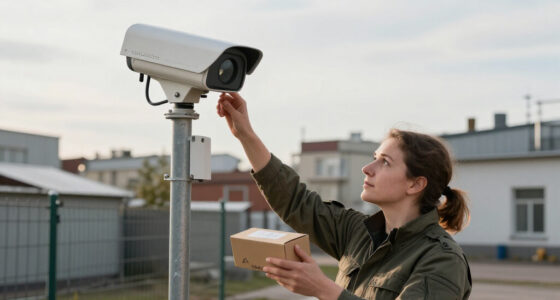
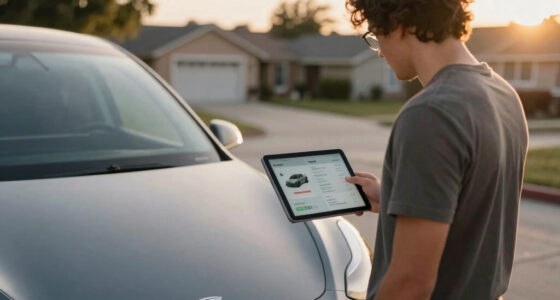
Automations take things a step further by combining triggers, conditions, and actions into complex sequences. You might set an automation so that when you *disarm* your door, your smart locks engage, the entryway lights turn on, and the security system checks in. For energy management, automations can dim the lights or adjust the thermostat based on occupancy sensors or time of day, ensuring your home isn’t wasting energy when no one’s around. They also enhance smart home security by automatically locking doors or activating cameras if a window is opened unexpectedly. Automations can be as simple or intricate as you want, giving you personalized control over your home’s security and energy use, all working seamlessly behind the scenes.
Products Worth Considering

Philips Hue Bridge Pro Smart Lighting Hub

LG C2 Series 65-Inch OLED evo 4K Smart TV (OLED65C2PUA, 2022)

Samsung 48-Inch S90H OLED 4K Smart TV (2026)
As an affiliate, we earn on qualifying purchases.
Frequently Asked Questions
How Do I Create Custom Scenes for Specific Events?
To create custom scenes for specific events, start by accessing your smart home app and selecting the option for custom scene creation. Name your scene based on the event you want to trigger it for. Then, add the devices and settings you want to control, like lights or thermostats. Finally, set up event-specific automations to activate this scene automatically, ensuring your home responds seamlessly to each occasion.
Can Routines Be Scheduled to Run at Specific Times?
Yes, you can schedule routines to run at specific times like clockwork. Think of your device as a well-trained orchestra conductor, guiding your smart home with precision. Using scheduled automation, you set time-based routines that activate automatically, whether it’s morning lights or evening security. Simply choose the desired time, and your routines will perform seamlessly, ensuring your home responds exactly when you want it to, without any manual intervention.
What Devices Are Compatible With Automations?
Most smart devices, including lights, thermostats, locks, and plugs, are compatible with automation integration. You can easily set up automations for these devices, allowing them to work together seamlessly. Check your smart home platform’s device compatibility list to verify your devices support automation features. This way, you’ll enjoy a smooth, integrated experience where your devices respond automatically to your routines and preferences.
How Do I Troubleshoot Automation Failures?
When automation failures strike, think of it as a detective story waiting to unfold. Start with automation failure diagnostics by checking device connections and power. Troubleshooting steps include verifying your settings, ensuring your devices are compatible, and testing each step manually. If issues persist, restart your hub or app. Keeping a clear mind helps you uncover the culprit, turning chaos into a smooth-running system once again.
Are There Privacy Concerns With Automated Systems?
Yes, there are privacy concerns with automated systems. You should be aware of privacy risks like data breaches or unauthorized access, which can compromise your personal information. To protect yourself, make certain your data security settings are strong, update software regularly, and review privacy policies. Being cautious about what data you share and understanding how your automation system uses your information helps minimize these risks and keeps your privacy safe.
Conclusion
Now that you know scenes, routines, and automations, you’re ready to revolutionize your space. By blending basic building blocks with brilliant bursts of automation, you’ll create a seamless, smart sanctuary. Embrace the ease, enjoy the efficiency, and elevate every experience. With a little planning and a lot of passion, you’ll power up your place with personalized, practical, and perfect possibilities. Start small, stay savvy, and see how simple settings spark spectacular success!