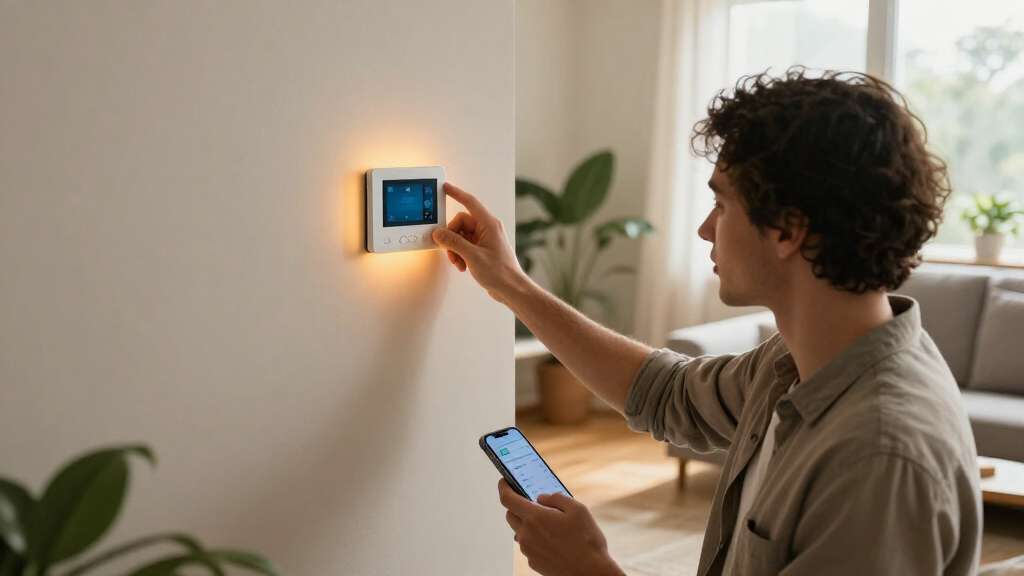

TL;DR
Smart home devices connect household equipment to a network so you can monitor or control it with an app, voice assistant, schedule, or automation. Start with one practical need, check compatibility and internet outage behavior, and include subscriptions, privacy settings, and support life in your buying decision.
A light bulb can know when you get home, but that does not mean your whole house needs to become a science project. Smart home devices can make small routines easier: a lamp switches on at sunset, a thermostat changes when you leave, or a leak sensor sends an alert while you are at work. Their value comes from solving an ordinary problem in a way you will keep using.

Get your next haul delivered free with Prime
- Fast, free delivery on millions of items
- Prime Video, Amazon Music and more included
- Member-only deals all year
These devices connect household equipment to a home network so people can monitor or control it through an app, voice assistant, schedule, or automation. The range runs from smart bulbs and plugs to thermostats, locks, cameras, speakers, and water sensors. Some connect directly to Wi-Fi; others use Bluetooth, Thread, Zigbee, or a hub.
This guide explains what to check before buying, how devices from different brands work together, and what to expect when the internet or a company’s service goes down. You will also see where smart devices can help with energy and safety, and where their limits matter. A calm, well-chosen setup can feel like a helpful housemate; a mismatched one can feel like a drawer full of adapters.
Start with one repeated household problem, such as a dark entry or a hidden leak.
Check platform support, hub needs, and the specific features you want before buying across brands.
Treat energy savings as dependent on your home and habits, and include device and subscription costs.
Use connected safety alerts as extra awareness alongside physical alarms and emergency plans.
Choose unique passwords, enable multifactor authentication, update devices, and check offline controls.
What Smart Home Devices Can Do in a Normal Day
Smart home devices are household products with network-connected or automated features that let you monitor or control them by app, voice, schedule, or sensor. They can handle a small task on their own, such as switching a lamp on at dusk, or report what is happening, such as a leak sensor detecting water beneath a sink. The useful question is not how futuristic a device sounds, but which repeated task it makes easier.
Imagine you leave for work on a rainy morning and wonder whether you turned off the space heater. A smart plug may let you check its status and switch it off from your phone, provided the plug and appliance are compatible. At night, a motion sensor could turn on a hallway light at low brightness, sparing you the glare of the ceiling fixture. Each device handles a small job; together, they can make the home feel more responsive.
Smart features vary widely. A bulb might offer a timer and dimming, while a camera can send motion alerts and save video to a card or subscription service. A thermostat may use a schedule or occupancy information, but its usefulness depends on your heating system and habits. Before you buy, write down the moment you want to improve—coming home with groceries, checking for a leak, or keeping a bedroom comfortable—and use that as your filter.
- Lighting: schedules, dimming, and motion-based control.
- Climate: thermostat adjustments and usage information.
- Awareness: alerts from door, smoke, carbon monoxide, or water sensors.
Products Worth Considering

Ring Wired Doorbell Pro (3rd Gen) with Chime Plus, Deep Silver

Bose TV Speaker (2nd Gen) Compact Soundbar with Bluetooth and HDMI-ARC, Black

Dyson Purifier Cool PC2 De-NOx
As an affiliate, we earn on qualifying purchases.
Check Compatibility Before You Add a Second Brand
Smart home devices work together only when their connection methods, platform support, and specific features line up. A product can connect to your home network yet still fail to appear in the app or routine you already use. Check whether it supports your phone’s platform or voice assistant, whether it needs a hub or Thread border router, and whether the features you care about are supported there.
For example, a renter might start with a Wi-Fi bulb controlled by one app, then buy a door sensor that uses Zigbee and requires a separate hub. Both products may be “smart,” but they do not necessarily share routines. A hub can be worthwhile if you plan to add several compatible sensors; it is extra cost and setup if all you wanted was one lamp on a timer.
Matter, which saw wider adoption through 2024, is an industry standard intended to help supported devices work across major smart home platforms. It can simplify setup, but the label does not promise that every device feature appears in every app. Thread is a low-power network used by some compatible devices; certain homes need a Thread border router, sometimes built into a speaker, display, or hub. Product support changes, so inspect the current compatibility page and requirements before checkout.
| Connection | What it can mean for you | What to check |
|---|---|---|
| Wi-Fi | Direct connection to the home router for many devices | Network requirements and internet-dependent features |
| Bluetooth | Nearby phone control or setup | Whether remote access needs another device or service |
| Thread or Zigbee | Low-power links for compatible sensors and controls | Whether a compatible hub or border router is required |
See Where Energy Savings Are Realistic
Smart home devices can help you notice and manage energy use, but they do not guarantee a lower bill. A thermostat, smart lighting, or energy-monitoring plug may make it easier to adjust schedules and spot equipment left running. What you save depends on your home, local energy prices, climate, settings, and whether you follow through on the information.
Suppose your household heats an empty home for two hours each weekday because nobody remembers to adjust the thermostat. A schedule or away setting could reduce that waste. But if the heating system already runs efficiently, or you keep overriding the schedule because it feels uncomfortable, the savings may be small. A smart thermostat also has to work with your particular heating or cooling equipment, so check compatibility before relying on it.
Smart plugs can show when a connected device draws power, though not every appliance should be connected to one. Check the plug’s rated load and follow the appliance maker’s guidance, especially for heaters or other high-power equipment. Lighting offers a more straightforward example: a timed plug or bulb can turn off a porch light in daylight. Think of automation like a tap that lets you direct a stream of energy; it can reduce waste when aimed well, but it cannot change the home’s underlying needs.
Useful rule: Treat estimated savings as a possibility, not a promise. Compare your actual energy use and bill over time, and count the device’s price, subscription, and setup costs too.
Add Alerts Without Mistaking Them for Protection
Smart sensors and cameras can give you more awareness of what is happening at home, but an alert is not the same as a physical safeguard or emergency response. Door sensors, cameras, smoke and carbon monoxide alarms, and water-leak detectors can notify you of certain events. Their usefulness depends on placement, power, network access, settings, and whether someone can respond when an alert arrives.
Consider a water sensor placed beside a washing machine in a basement. If it detects water while you are visiting family, the alert may prompt a neighbor to shut off the valve before a small drip becomes a damaged floor. It cannot stop a leak by itself unless paired with compatible shutoff equipment, and it may not help if its battery is dead or its connection is down. Check battery life and test alerts after installation.
For smoke and carbon monoxide, use approved alarms installed according to local guidance and the product instructions. A connected alert may help you notice an alarm while away, but it does not replace the alarm itself, an evacuation plan, or emergency services. Likewise, a camera can capture motion without showing the full story; a delivery, pet, or passing car can trigger it. Use alerts as extra information, and choose thresholds and locations that keep them meaningful rather than constant.
- Test sensors after setup and on the schedule in the manual.
- Keep core safety equipment working independently of app features.
- Decide who receives alerts and how they can act on them.
Protect Your Privacy and Keep the Setup Reliable
Smart home devices can collect data such as voice commands, video, occupancy, and usage patterns, so the account settings and manufacturer’s practices matter as much as the hardware. Use a strong, unique password for each account, turn on multifactor authentication when available, install software updates, and review who has access to cameras, locks, and shared controls. A few minutes spent on these settings can prevent a forgotten guest account from lingering for years.
A voice assistant in the kitchen may be handy for setting timers while your hands are covered in flour. You can still review its microphone controls, voice history, and deletion options, and place a camera where it does not capture private spaces. Some devices offer local processing or local control, while others send data through a cloud service. Read the privacy settings and product details to understand what is recorded, when, and whether you can disable storage.
Reliability deserves the same attention. Some devices continue local controls or automations when the internet is down; others lose most functions if their cloud service or app is unavailable. A manufacturer can also end support, limiting cloud-dependent features. Before buying a lock or thermostat, ask what still works offline, how long software support is promised, and whether essential controls remain available at the device itself. If the router drops during a storm, a physical switch or manual override can be a welcome backup.
Build Your First Smart Home in Three Small Steps
The easiest way to start is to choose one recurring need, buy a device that fits your existing platform, and test its everyday behavior before expanding. This keeps the cost and setup manageable while showing whether the feature truly helps. A well-chosen lamp or leak detector can teach you more about your home’s network and routines than a cart full of products.
- Name the problem. Pick a specific moment, such as wanting a lamp on before you reach the front door or needing an alert under the kitchen sink.
- Check the fit. Confirm phone and voice assistant support, network type, hub requirements, subscription costs, privacy settings, and offline behavior.
- Test the routine. Install the device, try the app and physical controls, then check what happens when Wi-Fi is unavailable or a battery needs replacing.
For instance, if you often arrive home after dark, start with a porch bulb that supports your existing platform and set a sunset schedule. After a week, ask whether the light came on at the right time, whether anyone needed to use another app, and whether the schedule still worked during a router restart. If the answer is yes, you have a useful pattern to repeat. If not, adjust before adding more devices.
Keep a short list of devices, accounts, and batteries as your setup grows. That small record helps you remember which app controls a sensor or when a battery needs replacing. It also makes it easier to remove access if you move or share a device with a guest.
Frequently Asked Questions
Do smart home devices always need Wi-Fi?
No. Some connect directly through Wi-Fi, while others use Bluetooth, Thread, Zigbee, or a hub. Remote access often needs an internet connection, so check the product’s requirements and offline features.
Will devices from different brands work together?
Sometimes. Check whether the devices support the same platform or a shared standard such as Matter, then confirm that the specific controls and routines you want work in that app. A standard label alone does not guarantee every feature will be available.
Can smart home devices work when the internet goes down?
Some devices support local controls or automations that keep working; others rely on cloud services and lose much of their function. Check what works offline, especially for devices you depend on for temperature, access, or alerts.
Can smart devices lower my energy bill?
They can help you manage schedules and spot energy use, but savings depend on your home, climate, rates, and habits. Compare actual use over time and include the device price and any subscription when judging the result.
Are smart home devices secure?
Security varies by device and manufacturer. Use unique passwords, turn on multifactor authentication where offered, install updates, and review sharing and recording settings for accounts, cameras, and assistants.
What should I buy first?
Choose one practical need, such as scheduled lighting, temperature control, or a leak alert. Then pick a device that works with the phone or platform you already use and check whether it needs a hub or ongoing subscription.
Conclusion
Start with one task you already repeat, then choose a device that fits your phone, network, budget, and comfort with data sharing. Test its physical controls and internet outage behavior before adding another product. The best smart home is not the one with the most glowing indicators; it is the one that quietly turns on the right light when your hands are full.