
Home Assistant helps you manage your smart home easily by centralizing control over devices like lights, thermostats, and security systems. You can use voice commands with assistants like Alexa or Google Assistant to turn on lights or change the temperature. It also allows you to create automation rules, so your devices work together smoothly—like turning on porch lights when it gets dark. Want to discover more ways to customize and optimize your smart home? Keep exploring!
Key Takeaways
- Centralizes control of smart home devices for simplified management and automation.
- Supports voice commands via assistants like Google Assistant and Amazon Alexa.
- Enables customized automation rules based on routines, triggers, and conditions.
- Coordinates multiple devices simultaneously to enhance safety, comfort, and energy efficiency.
- Is open-source, allowing ongoing customization, expansion, and integration of new smart devices.
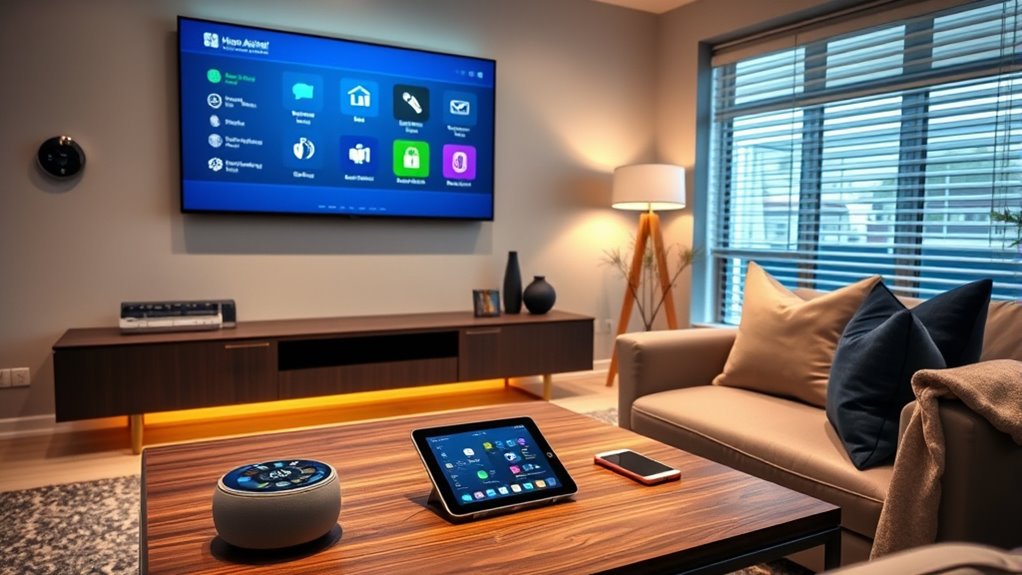
Are you looking to simplify your daily routines and make your home smarter? If so, Home Assistant offers an excellent way to centralize control over your smart devices and create a more seamless living experience. One of its key features is voice control, which allows you to manage everything with simple spoken commands. Whether you’re asking to turn on the lights, adjust the thermostat, or play music, integrating voice assistants like Google Assistant or Amazon Alexa with Home Assistant makes controlling your smart home effortless. You don’t need to open multiple apps or fiddle with devices individually; instead, your voice becomes the command center. This convenience not only saves time but also enhances accessibility, especially for those with mobility challenges.
But voice control is just the beginning. Home Assistant enables you to set up automation rules that bring your home to life based on your preferences and routines. You can create rules that automatically turn on the hallway lights at sunset or adjust the temperature when you arrive home. These automation rules are flexible and customizable, giving you control over how your devices interact. For example, you might set a rule that turns off all lights and locks the doors when you leave the house, or that starts your coffee maker every morning at a specific time. The system supports a wide range of triggers and conditions, allowing you to tailor your home automation precisely to your lifestyle.
With automation rules, you can also coordinate multiple devices to work together harmoniously. Imagine arriving home and having your smart lock unblock the door, your favorite playlist start playing, and the living room lights gradually brighten—all triggered by your arrival. You can even set up routines that respond to sensors, like turning on the porch light when motion is detected at night. This level of automation not only adds convenience but also enhances safety and energy efficiency. You decide which devices to link and how they should behave, giving you full control over your smart environment. Furthermore, understanding smart device integration can help you optimize your setup for maximum compatibility and performance.
Furthermore, Home Assistant’s open-source nature means you can expand and customize your setup over time. As new smart devices come out, or as your needs change, you can update your automation rules and voice commands easily. You don’t have to be a tech expert to get started; the platform offers an intuitive interface and community support to guide you through setup and customization. By combining voice control and automation rules, Home Assistant empowers you to create a smart home that adapts to your daily life, making everything more convenient, efficient, and enjoyable.
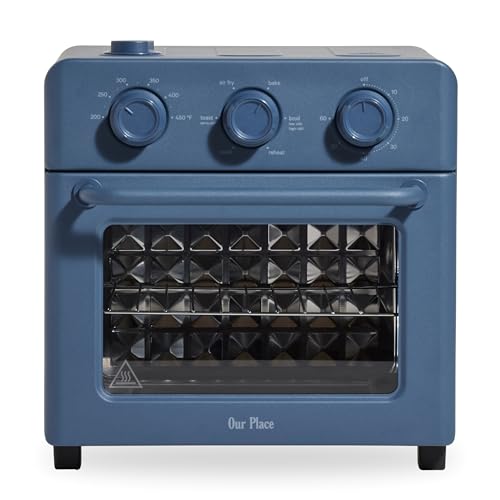
Our Place Wonder Oven | 6-in-1 Stainless Steel Air Fryer Toaster Oven Combo with Basket, Rack, Pan & Tray | Compact 13 QT Countertop Capacity - Toast, Roast, Bake, Reheat, Broil & Steam | Blue Salt
6-IN-1 COOKING POWER: Air fry, bake, roast, toast, broil, and reheat in one compact countertop oven designed for...
As an affiliate, we earn on qualifying purchases.
Frequently Asked Questions
Can Home Assistant Integrate With All Smart Home Devices?
Home Assistant can integrate with most smart home devices thanks to its extensive device compatibility, but it might not support every single product out there. You’ll find it offers great automation flexibility, allowing you to customize how your devices interact. If a device isn’t natively supported, you can often add integration through custom components or community plugins, making it a versatile hub for your smart home.
Is Home Assistant Suitable for Beginners With No Technical Experience?
Yes, Home Assistant is suitable for beginners with no technical experience. It offers a user-friendly interface, easy setup, and wireless compatibility with many devices, making the smart home manageable for newcomers. You don’t need coding skills, just a willingness to learn. Its intuitive design helps you connect, control, and automate your devices seamlessly, allowing you to enjoy a smarter home without feeling overwhelmed or frustrated.
How Secure Is My Data When Using Home Assistant?
Your data remains relatively secure with Home Assistant, especially if you take steps to address privacy concerns. It uses data encryption to protect your information during transmission, reducing the risk of unauthorized access. However, you should be mindful of privacy settings, avoid exposing your system to the internet without proper security measures, and regularly update your software. These practices help keep your data safe and private while using Home Assistant.
Can I Access Home Assistant Remotely From Outside My Home Network?
Think of remote access like opening a secure gate to your smart home—it’s convenient, but you need to lock it properly. You can access Home Assistant from outside your network, but security concerns are real. To stay safe, set up encrypted connections like VPNs or use built-in remote access features with strong authentication. This way, you control who enters, keeping your data and devices protected from unwanted intruders.
Does Home Assistant Support Voice Control Integration?
Yes, Home Assistant supports voice control integration. You can enable voice recognition using popular platforms like Google Assistant or Amazon Alexa, making it easy to control your smart devices with voice commands. It also offers broad device compatibility, so you can connect and manage a wide range of smart home gadgets. Once set up, you’ll enjoy seamless voice control, enhancing your smart home experience and making device management effortless.
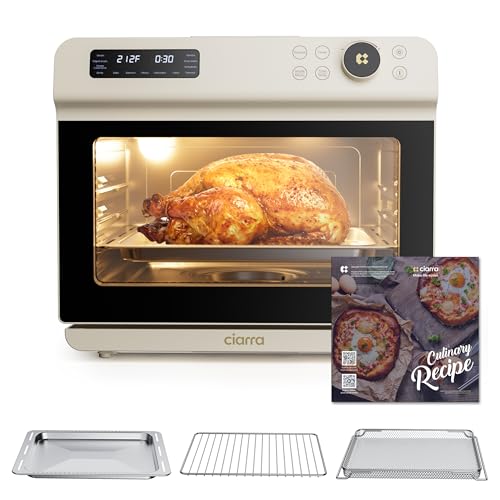
CIARRA 12-in-1 Countertop Steam Oven with Air Fryer, 25.4QT Steam Air Fryer Combo Nosh Oven Pro - Convection Toaster, Bake, Self-Clean, Dehydrate, Ferment, White
All-Round Cooking for Every Craving: This 25.4QT convection oven is a kitchen workhorse, boasting 11 cooking modes—including convection,...
As an affiliate, we earn on qualifying purchases.
Conclusion
Now, as you start exploring Home Assistant, it’s funny how everything seems to fall into place just when you need it most. Devices seamlessly connect, routines become second nature, and suddenly, your home feels smarter and more responsive. It’s almost like the universe conspired to make your life easier. So, immerse yourself, experiment, and watch how these small choices create a big difference—sometimes, the right tech just finds you at the perfect moment.
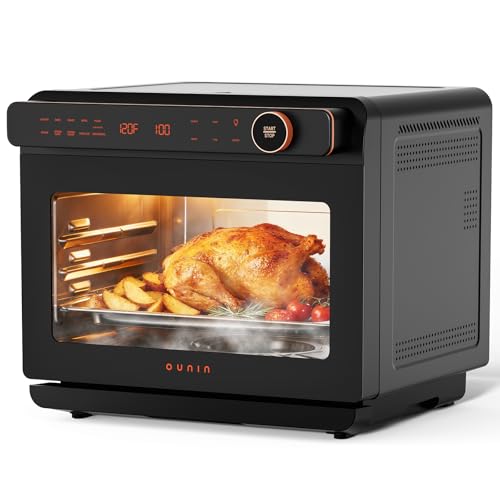
OUNIN 24L Steam and Air Fryer Combo Countertop Oven,11-in-1 Convection Baking and Steam,Bake,Broil,Dehydrate,304 Stainless Steel,Fast Cooking with Precise Electronic Temperature Control,for Gifting
【11-IN-1 VERSATILE KITCHEN POWERHOUSE】Replace multiple countertop appliances with one space-saving combo! This all-in-one unit functions as a Convection...
As an affiliate, we earn on qualifying purchases.
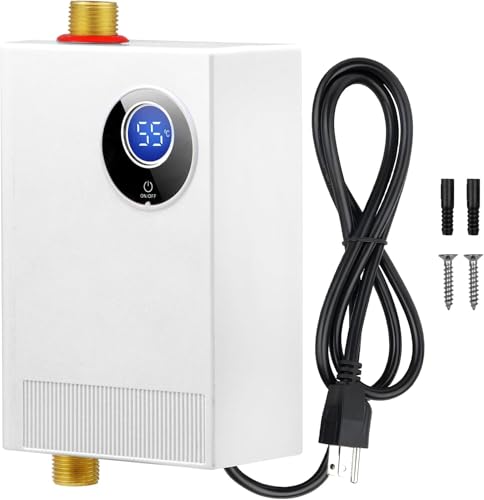
DOYXC Tankless Water Heater Electric 110V, 3000W Under Sink Instant On Demand Hot Water Heater, Portable Mini Water Heaters with Digital Display for Kitchen Bathroom RV
【INSTANT HOT WATER HEATER】With DOYXC Mini tankless water heater electric 110v, you will say goodbye to long waiting...
As an affiliate, we earn on qualifying purchases.