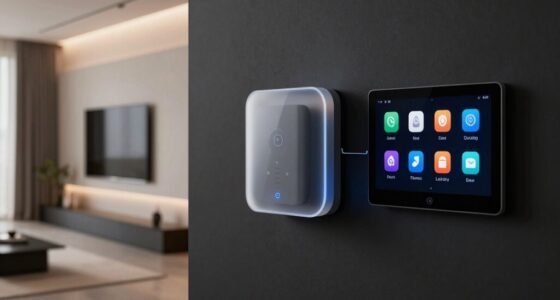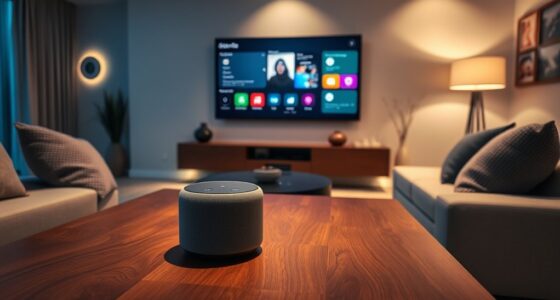
Before buying a smart lock, make sure it supports your home automation platforms like Alexa, Google Assistant, or Apple HomeKit to ensure seamless control and routines. Check its battery life to avoid frequent replacements and guarantee you get notifications for low power. Consider the installation process—look for DIY-friendly options that fit your door type. Also, verify compatibility with your existing security system and future upgrades. Staying aware of these details helps prevent issues—keep going for more useful tips.

Get your next haul delivered free with Prime
- Fast, free delivery on millions of items
- Prime Video, Amazon Music and more included
- Member-only deals all year
Key Takeaways
- Verify the smart lock’s compatibility with your existing smart home platforms like Alexa, Google Assistant, or Apple HomeKit.
- Ensure the lock’s battery life meets your security and maintenance preferences, and check for low battery notifications.
- Confirm the installation process is DIY-friendly and suitable for your door type and size.
- Check that the lock integrates smoothly with your home automation routines for seamless operation.
- Validate the lock’s compatibility within your current smart home ecosystem to prevent setup issues and future upgrade limitations.
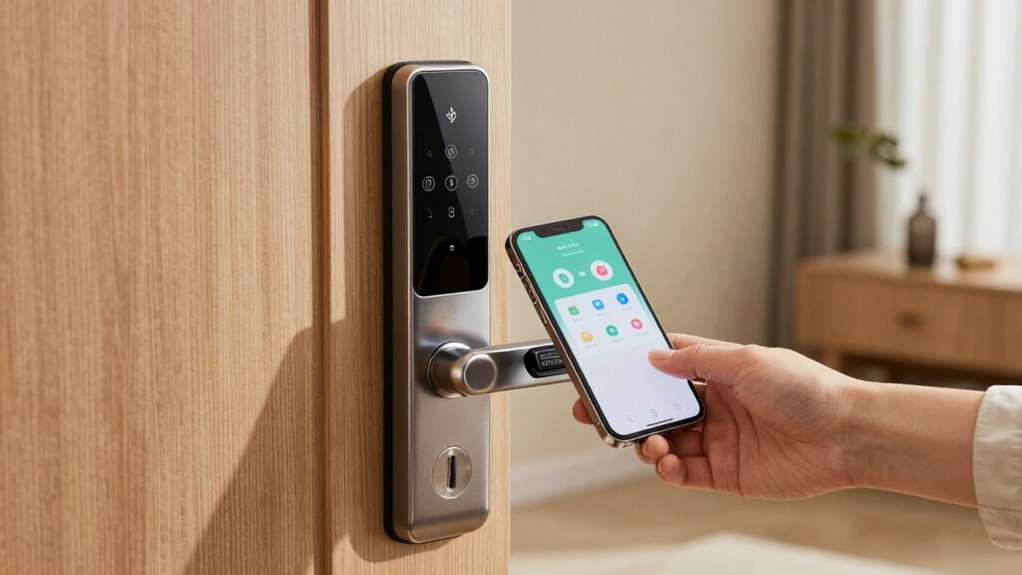
Are you wondering if your smart lock will work with your existing smart home setup? Before you make a purchase, it’s essential to check compatibility details to avoid buying something that won’t fit seamlessly into your system. One of the first things to think about is whether the lock supports your current smart home platform, such as Alexa, Google Assistant, or Apple HomeKit. If it doesn’t, you might find yourself unable to control the lock remotely or integrate it with other devices you already own. Compatibility isn’t just about voice assistants; look into whether the lock syncs with your home automation routines, security systems, or smart hubs. Validating this compatibility saves you from the frustration of having a device that doesn’t communicate properly. Also, consider whether the lock supports home automation routines, which can enhance your overall smart home experience. Ensuring compatibility with your existing smart home ecosystem can make setup and daily use much smoother.
Next, pay close attention to the battery life of the smart lock you’re considering. Battery life is a key factor because it directly impacts the convenience and security of your home. A smart lock with poor battery life can leave you stranded or vulnerable if it dies unexpectedly, especially if it requires frequent battery replacements or recharging. Many locks use standard batteries, but how long those batteries last varies widely. Some models offer months or even years of use on a single set of batteries, while others might require more frequent changes. Check user reviews and manufacturer specifications to get a realistic idea of what to expect. Long-lasting battery life minimizes maintenance and ensures your lock remains reliable. This feature is particularly important if you prefer a low-maintenance smart home setup. Additionally, some models include notifications when batteries are running low, which is a useful security feature to keep your home protected. Moreover, selecting a lock with easy battery replacement can further enhance the convenience of maintaining your smart lock.
The installation process is another important compatibility detail. You want a smart lock that’s straightforward to install, preferably without needing professional help unless you’re comfortable with DIY projects. Some locks are designed to retrofit existing deadbolts, making installation quick and simple, while others might require replacing your entire door hardware. Look for models that clearly detail their installation steps and compatibility with your door type and size. A complicated or incompatible installation process can lead to improper functioning, security gaps, or damage to your door. It’s also useful to verify if the lock’s installation instructions are clear and easy to follow, especially if you plan to install it yourself. Proper installation ensures the lock functions correctly and maintains your home’s security integrity.
smart lock compatible with Alexa Google Home Apple HomeKit
As an affiliate, we earn on qualifying purchases.
As an affiliate, we earn on qualifying purchases.
Frequently Asked Questions
Can Smart Locks Work With Traditional Keypads?
You’ll be pleased to know that many smart locks do work with traditional keypads, offering a seamless upgrade. About 60% of models include a traditional keypad feature, allowing you to access with a code. Plus, they often come with a mechanical backup, so you’re never locked out if electronics fail. This way, you enjoy both smart convenience and the security of a traditional keypad when needed.
Do Smart Locks Require Wi-Fi or Bluetooth to Operate?
Smart locks usually need either Wi-Fi or Bluetooth to operate, depending on their features. Bluetooth allows you to control the lock locally without internet, while Wi-Fi enables remote access and firmware updates. Keep in mind, Bluetooth models often have better battery life, but Wi-Fi locks may drain batteries faster. Check the compatibility and power needs before buying, so you can manage battery life and keep firmware up-to-date easily.
Are Smart Locks Compatible With All Smart Home Systems?
You might assume all smart locks work seamlessly with your smart home system, but beware—compatibility isn’t universal. Some locks only integrate with specific platforms, raising security concerns and privacy issues if you try to connect incompatible devices. Before buying, double-check whether your smart lock is compatible with your existing system, ensuring it’s secure and private. Otherwise, you risk vulnerabilities that could compromise your home’s safety.
Can I Install a Smart Lock on Any Door Type?
You can’t install a smart lock on any door type; it depends on door material and lock size. For example, wooden or metal doors usually work well, but glass or hollow-core doors might need special adapters. Also, measure the lock size carefully to guarantee it fits your door’s existing hole. Check your door’s material and dimensions first, then pick a smart lock compatible with those specifics for a secure, easy installation.
Will a Smart Lock Work During Power Outages?
A smart lock can work during power outages if it has a reliable battery backup. This backup guarantees the lock remains operable even when the main power is out. Additionally, consider the signal range of the lock’s connection to your device or hub; a strong signal helps maintain control during outages. Without these features, your smart lock might become inaccessible when the power goes out.
As an affiliate, we earn on qualifying purchases.
Conclusion
Before you invest in a smart lock, double-check these five compatibility details to dodge a disaster. Ignoring them is like walking into a maze blindfolded—you’re bound to get lost! Ensuring your lock works seamlessly with your door, Wi-Fi, and smart home system saves you from frustration and costly returns. Don’t let a simple oversight turn your smart home into a tech nightmare. Stay vigilant, do your homework, and enjoy the peace of mind that comes with the perfect fit!
DIY smart lock installation for door
As an affiliate, we earn on qualifying purchases.
As an affiliate, we earn on qualifying purchases.
smart lock with low battery notification
As an affiliate, we earn on qualifying purchases.
As an affiliate, we earn on qualifying purchases.
Halloween Picks
halloween
As an affiliate, we earn on qualifying purchases.