If you mainly want clear, immersive sound for music and voice commands, a better smart speaker is the way to go. However, if you often need visual updates like recipes, weather, or notifications, a smart display could boost your experience. Consider your privacy preferences, how often you rely on visual versus audio info, and which features matter most to you. Keep exploring to discover which device fits your needs best and how to maximize its benefits.

Get your next haul delivered free with Prime
- Fast, free delivery on millions of items
- Prime Video, Amazon Music and more included
- Member-only deals all year
Key Takeaways
- Choose a smart display if you need visual information like lyrics, recipes, or video calls; opt for a speaker if sound quality is your priority.
- Consider privacy controls; smart displays may store more visual data, whereas smart speakers focus on audio interactions.
- For multitasking and quick updates, a smart display offers better visual feedback; for immersive audio experiences, a smart speaker is ideal.
- Compatibility with your existing smart home devices and ecosystem can influence whether a display or speaker better suits your needs.
- Prioritize based on usage: frequent visual interaction favors a smart display, while high-quality sound favors a smart speaker.
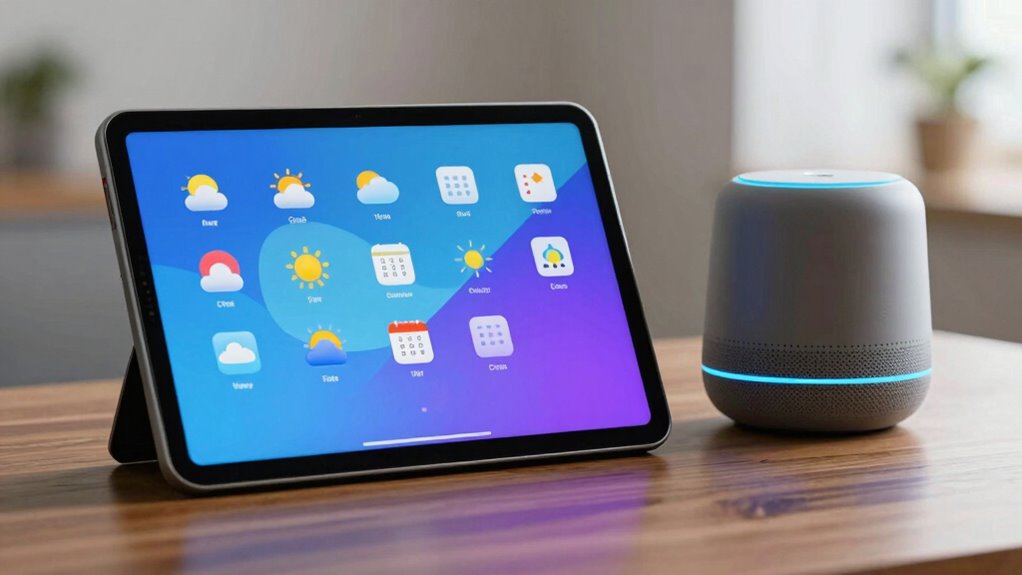
When choosing between a smart display and a better smart speaker, it’s essential to understand how each device can enhance your daily life. If you’re considering voice recognition capabilities, a smart display offers visual feedback that can make interactions more intuitive. For example, you can see song lyrics, weather updates, or calendar reminders directly on the screen, which can be especially useful when you’re multitasking. On the other hand, a high-quality smart speaker might excel in delivering clear, immersive sound, making it perfect for music lovers or those who simply want a reliable voice assistant without extra distractions. Your choice depends on whether you prioritize visual information or superior audio performance.
Voice recognition technology plays a vital role in making these devices useful, but it also raises privacy concerns. Smart displays often store and process voice commands visually, which can lead to more data collection about your habits and preferences. If privacy is a top priority, you’ll want to consider how each device manages your data. Many smart speakers and displays offer mute buttons or privacy controls that disable microphones when needed, but not all devices handle data the same way. You should look into the manufacturer’s privacy policies and whether they offer local processing options to keep your voice data from being stored in the cloud. Additionally, understanding privacy controls can help you make an informed decision about which device aligns with your comfort level. It’s also worthwhile to explore the data management practices of each device to understand how your information is stored and used.
The decision also hinges on how you plan to use the device. If you want a hands-free way to follow recipes, view traffic updates, or see visual notifications, a smart display makes sense. It’s like having a mini smart assistant with a screen that displays relevant information instantly. Moreover, visual feedback can enhance the overall user experience by providing immediate and accessible information. Newer models often feature improved display quality, which can make a significant difference in clarity and usability. To maximize your experience, consider how the device’s compatibility with other smart home devices**** might expand its functionality. However, if your main goal is to enhance your music experience, control smart home devices, or get quick answers without visual clutter, a smart speaker is often more practical. Many top-tier smart speakers provide excellent voice recognition, allowing you to issue commands from across the room with accuracy, even in noisy environments.
Ultimately, both devices can integrate seamlessly into your smart home ecosystem, but your decision should reflect your primary needs. Consider how often you’ll use visual features versus audio functionalities, and weigh the importance of privacy controls. If you’re comfortable managing privacy settings and want visual support, a smart display could be invaluable. Conversely, if you prefer a straightforward device that excels in sound quality and voice recognition, a better smart speaker might be enough. In either case, understanding these differences helps you choose the device that truly enhances your daily routine.
smart display with video calling
As an affiliate, we earn on qualifying purchases.
As an affiliate, we earn on qualifying purchases.
Frequently Asked Questions
Can a Smart Speaker Replace a Traditional Home Phone?
Yes, a smart speaker can replace a traditional home phone for voice call capabilities, allowing you to make and receive calls hands-free. Many models also include emergency assistance features, like summoning help with voice commands during urgent situations. However, consider if you need features like visual displays or landline reliability. If not, a smart speaker offers a convenient, modern alternative to your traditional home phone, especially for quick, voice-activated communication.
Are Smart Displays Suitable for Elderly Users?
Smart displays are suitable for elderly users because they enhance accessibility with their visual interface and large screens. Studies show that over 80% of seniors find visual cues helpful for understanding digital commands. These devices simplify communication, entertainment, and daily task management, making them ideal for elderly accessibility. Their intuitive touchscreens and voice control help seniors stay connected and independent, creating a user-friendly experience tailored to their needs.
How Secure Are Smart Displays With Personal Data?
Smart displays are generally secure with personal data, but you should stay aware of data privacy and security concerns. Manufacturers implement encryption and privacy controls, but vulnerabilities can still exist. You’re responsible for managing settings, like disabling voice recordings or camera access, to protect your information. Regular software updates help patch security flaws, so stay vigilant. Overall, smart displays can be secure if you actively control privacy options and keep your device updated.
Do Smart Displays Support Multiple Users Simultaneously?
Think of your smart display as a lively dinner party where everyone has a seat. Yes, many smart displays support multi-user support through user profiles, allowing multiple people to interact seamlessly. With user profiles, your device recognizes each person, providing personalized responses. This multi-user support keeps your data private and tailored, ensuring everyone at your virtual table gets their own experience without mixing up personal information.
What Are the Best Voice Assistant Options for Smart Displays?
For smart displays, the best voice assistant options include Google Assistant and Amazon Alexa. They excel in voice recognition, understanding your commands accurately. Both offer screen customization, allowing you to personalize your display with photos, widgets, or news feeds. Your choice depends on your ecosystem preference—Google or Amazon—and which features matter most, like seamless integration or richer screen options. Either way, they enhance your smart display experience considerably.
high quality smart speaker for music
As an affiliate, we earn on qualifying purchases.
As an affiliate, we earn on qualifying purchases.
Conclusion
So, whether you choose a shiny smart display or just a smarter smart speaker, remember—you’re arming yourself with a gadget that could turn your living room into a command center so advanced, it practically has a mind of its own. Imagine commanding your devices as easily as snapping your fingers, with a screen so clear, it’s like having a window into the future. Either way, your home’s about to get a serious upgrade—welcome to the smart revolution!
privacy-focused smart home devices
As an affiliate, we earn on qualifying purchases.
As an affiliate, we earn on qualifying purchases.
best smart display for recipes and weather
As an affiliate, we earn on qualifying purchases.
As an affiliate, we earn on qualifying purchases.
Halloween Picks
halloween
As an affiliate, we earn on qualifying purchases.