TL;DR
A peephole camera doorbell replaces or fits over an existing optical peephole so you can check visitors through an indoor screen or phone. Before choosing one, measure your door and peephole, confirm building rules, check Wi-Fi and power, and understand how alerts, recordings, and any subscription work. If the Ring Peephole Cam 2K (2nd Gen) is hard to find, compare current peephole and battery doorbells by the features that matter on your specific door.
Your apartment door may face a busy hallway where footsteps echo, neighbors pass close by, and someone can knock before you reach the peephole. A peephole camera doorbell lets you check the scene from inside using a screen or phone, and some models add motion alerts, recording, and two-way talk. For renters, a design that uses the existing peephole can be appealing when a wired installation or drilling into a shared corridor is not practical.

Get your next haul delivered free with Prime
- Fast, free delivery on millions of items
- Prime Video, Amazon Music and more included
- Member-only deals all year
Choosing one takes more than comparing camera numbers. You need to know whether it fits your door thickness and peephole opening, whether your building permits the change, and how well its Wi-Fi, battery, and storage suit daily life. This guide walks through those checks, explains what the advertised features mean in a real hallway, and offers alternatives to compare if a particular model is difficult to find.
Measure the peephole opening, door thickness, and clearance around locks and trim before choosing a camera.
Confirm landlord or building approval even when a device claims a no-drill installation.
Compare live view, motion-event clips, and continuous recording as separate functions; storage and subscription terms vary.
Busy hallways can trigger frequent alerts and use more battery, so check motion controls and Wi-Fi at the door.
Treat Ring’s peephole and battery doorbell alternatives as different mounting options until the current installation guide confirms compatibility.
Know What a Peephole Camera Actually Does
A peephole camera doorbell is a small camera system designed to replace or fit over an apartment door’s existing optical peephole, sending the outside view to an indoor screen or phone. Depending on the model, it may also add a doorbell button, motion alerts, event clips, or two-way audio. That makes it useful when a conventional wired doorbell would require changes to a shared wall or hallway.
Think of it as a new set of eyes at the door, not a full security system. You might see a delivery worker waiting with a parcel, receive an alert when someone approaches, and speak through the app without opening the door. Some models let you view a live picture; others also record motion events. Those functions are different, so check the feature list carefully rather than assuming “camera” means continuous recording.
There are two basic physical approaches. One device replaces the existing viewer with its own camera and indoor hardware. Another fits over an existing optical peephole, using the original lens or opening. For example, a tenant who wants to keep the door’s original viewer may prefer an overlay design, while a resident whose old viewer is loose may consider a replacement, subject to building approval.
The distinction also affects what to measure and how installation works. A product can sound renter-friendly yet still require removing hardware, attaching a screen, or changing the door. Treat the product diagram as a fit guide, and confirm the exact installation method before ordering. The name “peephole camera doorbell” describes a category; it does not guarantee a universal mount or a no-change installation.
Products Worth Considering

Sonos One Two-Room Smart Speaker Set with Alexa, Black

Levoit Vital Pet Pro Smart Air Purifier for Large Rooms

Ring Wired Doorbell Pro (3rd Gen) and Chime Plus Bundle, Deep Silver and White
As an affiliate, we earn on qualifying purchases.
Measure Your Door Before You Choose a Model
A peephole camera fits only when its mounting parts match your door’s thickness, peephole diameter, and surrounding clearance. Measure the opening and the door itself, then compare both with the manufacturer’s current installation guide. A few millimeters can matter if the indoor display, trim, or a nearby lock crowds the mounting plate.
Start with a ruler or caliper and note the existing viewer’s width, the door’s thickness, and the space around the peephole on both sides. Check whether a smart lock, decorative molding, security chain, or door closer arm sits nearby. A door with a wide peephole bezel may look like it has plenty of space but leave too little flat surface for the camera’s plate.
Imagine a tenant named Maya whose peephole sits only a hand’s width from a smart lock. The camera itself could fit through the opening, yet the indoor screen might collide with the lock’s thumb turn. Maya should compare the full installed dimensions—not just the camera lens—and confirm the door can still open and close freely.
Also check whether the device requires removing the old viewer. If you need to preserve the original optical peephole, search the instructions for an overlay or “fits over” design. If you replace the viewer, keep its parts in a labeled bag so you can restore the door when you move, if your lease and building allow that approach.
Use this quick check before you shortlist products:
- Measure door thickness and peephole opening.
- Check clearance around locks, trim, chains, and handles.
- Read the installation guide for the exact mounting method.
- Confirm reversibility and save original hardware if removal is allowed.
For example, if a product listing gives a compatible thickness range but says nothing about your nearby lock, contact the manufacturer or installer with the measurements. Compatibility is about the complete assembly, not just whether the camera lens can pass through the hole.
Compare Current Alternatives by the Features You Need
If the Ring Peephole Cam 2K (2nd Gen) is difficult to find, compare the listed alternatives by installation style and the features you will use. Product availability and specifications can change, so verify the current model page, app support, and included accessories before buying. A similar resolution does not mean the replacement installs the same way.
The Ring Peephole Cam 2K is the closest category match in the supplied specifications: it lists 2K video, a 140° horizontal by 140° vertical view (173° diagonal), up to 6× zoom, and two-way talk. The Ring Battery Doorbell 2K with 6× Enhanced Zoom also lists 2K-class video, 140° by 140° viewing, and a built-in battery, but it is a battery doorbell rather than necessarily a peephole replacement. The Ring Battery Doorbell 4K Pro (2nd Gen) lists 4K video, 140° by 140° viewing, up to 10× enhanced zoom, and dual-band Wi-Fi 6. The Blink Wired Doorbell 2K+ lists 1920 × 1920 video and 140° horizontal and vertical viewing, with wired power requirements.
Here is a compact feature comparison based on the supplied product specifications. Confirm current details with the manufacturer because model generations and package contents can change.
| Option | Video and view | Power and connection | What to check |
|---|---|---|---|
| Ring Peephole Cam 2K | 2K; 140° × 140°; up to 6× zoom | Quick Release Battery Pack; 2.4 GHz Wi-Fi | Whether the current package and installation match your door |
| Ring Battery Doorbell 2K with 6× Enhanced Zoom | Retinal 2K; 140° × 140°; up to 6× zoom | Built-in lithium-ion battery; 2.4 GHz Wi-Fi | Mounting method and whether it suits an apartment door |
| Ring Battery Doorbell 4K Pro (2nd Gen) | Retinal 4K; 140° × 140°; up to 10× zoom | Wi-Fi 6, 2.4 and 5 GHz | Power details, mounting, and whether added resolution helps your use |
| Blink Wired Doorbell 2K+ Head-to-Toe | 2K (1920 × 1920); 140° × 140° | Wired power; 2.4 GHz Wi-Fi | Compatible existing wiring and building permission |
For instance, if you rent and cannot wire the door, a battery model may be simpler to evaluate than the wired Blink option. If the existing peephole is central to your installation needs, start with the dedicated peephole model and compare its dimensions rather than treating any battery doorbell as a direct swap.
Choose a Power and Alert Setup That Fits Your Routine
Power and alert design determine whether a camera feels helpful or becomes another chore. Battery-powered models avoid door wiring, while wired products rely on compatible electrical connections; the battery’s actual runtime depends on how often the device wakes, records, and streams. Frequent hallway traffic can trigger more activity than a quiet landing.
One listed Ring Peephole Cam 2K setup uses a Quick Release Battery Pack, with an Ultra Battery Pack also supported, while the Ring Battery Doorbell 2K with 6× Enhanced Zoom has a built-in lithium-ion battery. The Blink Wired Doorbell 2K+ specification lists 12–24V AC, 10–40 VA, 50/60Hz or 24V DC power. These are not interchangeable arrangements. Check exactly what the product requires and whether you can recharge, replace, or safely connect it in your building.
Picture a door facing an elevator lobby. The camera may wake whenever neighbors pass, which can mean more notifications and more battery use than a door at the end of a quiet corridor. Adjust motion zones and sensitivity if the app supports them, and test the settings during a normal day. A camera that sends an alert for every passing coat sleeve can train you to ignore the alert that matters.
Wi-Fi at the apartment entrance matters too. Your router may sit in the living room behind several walls; the signal can weaken at the metal door. Before relying on remote alerts, test the network where the camera will sit, including at the time of day when neighbors stream or the building network is busy.
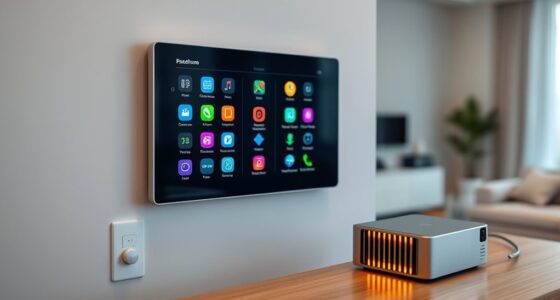
For everyday use, check whether you want an indoor display or are comfortable opening an app. A screen can make it quicker to see who is there while cooking, whereas a phone app may suit you when you are away. Check the product’s supported viewing method, notification delay, and audio performance rather than assuming every model offers each feature.
Understand Live View, Event Clips, and Storage
Live view, motion-triggered clips, and continuous recording are three different things. Live view shows the scene when you open the camera; event recording saves selected moments after motion or a button press; continuous recording captures video on an ongoing basis. A product can offer one without offering the others, so check the recording description and storage terms directly.
Imagine a courier leaving a package and walking away before your phone alert arrives. A live view might let you see the empty hallway when you tap it, while an event clip could preserve the delivery moment if the camera detected motion and saved the recording. Neither guarantees that every action is captured; placement, detection settings, connection, and recording limits all matter.
Storage can be local, cloud-based, or a mix, depending on the model and plan. Before choosing, check how long clips remain available, how many events can be saved, whether downloads are possible, and what access remains if an optional subscription ends. A subscription can change the ongoing cost, so compare the features you would actually use against the recurring fee rather than looking only at the device.
For a renter who mainly wants to know whether a visitor is at the door, live viewing and a clear alert may be enough. Someone who needs to review missed deliveries may care more about event history and retention. Write down your use case first; it turns a long feature list into a short set of practical questions.
Also check who can access the account and recordings. Use a unique password, enable two-factor authentication where available, install software updates, and remove access for people who no longer need it. These steps help keep a small camera from becoming an unguarded window into your hallway.
Check Building Rules and Protect Hallway Privacy
Before installing a camera on an apartment door, confirm that your lease or building rules allow the device and check local recording laws. A hallway is shared space: your camera may capture neighbors, visitors, or people entering nearby apartments. A no-drill mount can still change the door’s appearance or record a common area.
Start with the practical questions: Can you replace the peephole? Can hardware attach to the inside or outside of the door? Does the building restrict cameras facing corridors? Are there rules about recording audio? Requirements vary by location and property, so check the applicable rules rather than relying on a general internet answer.
For example, a camera pointed straight across a narrow landing may frame a neighbor’s doorway every time they leave home. If the device supports motion zones or privacy masking, aim and configure it to focus as narrowly as possible on your own threshold. Avoid recording more of the corridor than you need to identify a visitor, and choose a retention period that matches your purpose.
Ask building management in writing if the rules are unclear, and describe whether the device replaces the optical viewer, attaches to the door, records video, or captures audio. If you are renting, ask the landlord before altering the peephole or removing hardware. Also check whether the door is fire-rated; do not drill, cut, or modify it in a way that could affect its safety rating.
Keep the camera’s view as narrow as practical. A clear view of your own doorstep can help you check a visitor while reducing how much of your neighbors’ daily lives enters your recordings.
Privacy is part of fit. A device that mounts perfectly but violates building policy can create conflict and may need to come down. A short rules check before installation is easier than trying to resolve a dispute after the lens is already facing the landing.
Make a Replacement Choice Without Chasing Bigger Numbers
The best replacement for an apartment peephole camera is the model that matches your door, building rules, and daily viewing needs. Resolution and zoom matter, but they do not tell you whether the camera fits, whether Wi-Fi reaches the entrance, or whether you will get useful footage in low light. Compare the whole setup before treating a headline specification as decisive.
For example, a move from 2K to 4K may sound compelling if you often need to inspect a distant face, but a narrow landing may make that extra detail less useful than dependable motion alerts and clear two-way audio. The listed Ring Peephole Cam 2K and the prior 2nd Gen version both show 2K video, 140° by 140° viewing, and up to 6× zoom in the supplied specifications. Their matching headline numbers still do not establish that a particular package includes the same mounting hardware or fits your door.
Use this priority order when comparing options: physical fit first, building approval second, then power and connection, followed by the viewing and recording features you actually need. A wired model might suit an owner with approved wiring, while a renter who cannot alter the door may find a battery option more practical. Either way, verify the current manual and installation details before purchase.
It also helps to separate “doorbell” from “peephole.” Some battery doorbells share video, field-of-view, and audio features with peephole cameras, but their mount may be designed for a different door surface. If you search for “doorbell replaces or fits over an existing optical” peephole, check the product’s exact language and diagram; a similar product name does not prove that it uses your existing opening.
Finally, check the small details that affect daily satisfaction: app compatibility with your phone, night visibility, alert delay, spoken audio clarity, storage rules, and warranty terms. A one-year limited warranty appears in the supplied specifications for several listed models, but current coverage and conditions should be verified on the manufacturer’s site. Write down two or three must-haves and ignore extras that do not solve a real problem at your door.
Frequently Asked Questions
Will a peephole camera fit my apartment door?
It depends on the camera’s mounting range and your door’s thickness, peephole diameter, and surrounding clearance. Measure the door and opening, then compare them with the current installation guide. Check nearby locks, trim, and chains too; the camera may fit the hole while its indoor screen hits a lock.
Can I install a peephole camera without drilling?
Some models reuse or replace the existing peephole without drilling, but installation methods vary. Read the manual to see whether you must remove the optical viewer or attach hardware to the door. Even a no-drill installation may need building approval.
Can I use a peephole camera without a smartphone?
Some products include an indoor display, while others rely mainly on a phone app. Check the exact model’s viewing options before buying. If you want to check visitors while your phone is charging or away from you, an indoor screen may be useful.
Does a peephole camera record all the time?
Not necessarily. A product may provide live view, motion-triggered event clips, or continuous recording, and those are different features. Check what the model records, how long clips remain available, and whether storage depends on a subscription.
Is it legal to record an apartment hallway?
Rules vary by location, building, and whether the device records video or audio. Check local law and your lease or condo rules before installing it, especially if the lens captures neighbors’ doors or shared space. When possible, narrow the view to your own threshold and use privacy controls.
Compare the Ring Peephole Cam 2K and other listed battery doorbells by fit, power, field of view, audio, and recording features. The Ring Peephole Cam 2K has similar listed resolution, view, and zoom specifications, but check the current mounting method and package contents. A battery doorbell may share camera features without replacing or fitting over your existing peephole.
Conclusion
Choose your apartment peephole camera by starting with the door itself: measure the opening, check surrounding hardware, and confirm your building permits the installation and view. Then compare power, Wi-Fi, alerts, and storage against the way you actually use your entrance. The clearest camera spec cannot compensate for a mount that does not fit or a notification stream you learn to ignore.
When you find the right match, keep the lens focused on your threshold, secure the account, and save the original peephole hardware if you may need to restore the door. A small screen can turn a sharp knock into a calm, informed choice.