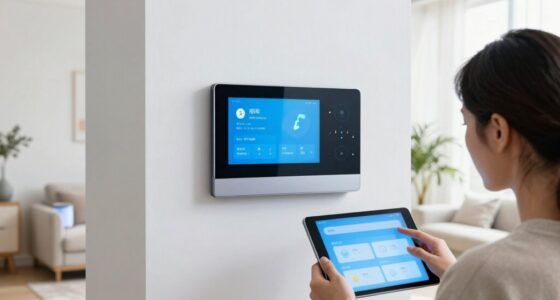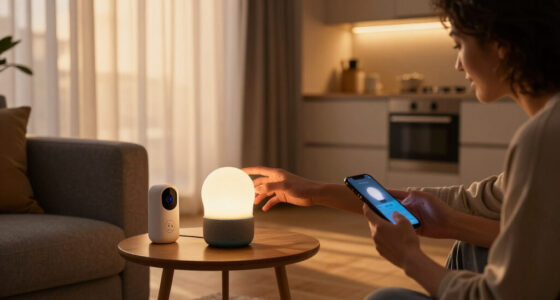
Choosing an Amazon device for a smart home often comes down to whether you want one screen to do many jobs or a panel dedicated to controlling lights, locks, cameras, and routines. The Echo Show 8 is a general-purpose Alexa smart display with a touchscreen, camera, speakers, and smart home controls. The Echo Hub is built around a customizable smart home dashboard and can be mounted where household members can reach it.

Get your next haul delivered free with Prime
- Fast, free delivery on millions of items
- Prime Video, Amazon Music and more included
- Member-only deals all year

Amazon Echo Show 15 (Newest Model) – 15.6" Full HD Smart Display with Built-In Fire TV, Designed for Alexa
- ✔ Display: 15.6 inches
- ✔ Resolution: 1920 x 1080 Full HD
- ✔ Built-in features: Fire TV and Alexa voice assistant

Amazon Echo Dot (5th Gen, Newest Model) Smart Speaker with Alexa – Deep Sea Blue
- ✔ Dimensions: 3.9 x 3.9 x 3.5 inches
- ✔ Weight: 10.7 oz (304 g)
- ✔ Speaker: 1.6-inch full-range driver, mono playback

Amazon Smart Plug, Works with Alexa (2-Pack)
- ✔ Dimensions: 3.2 x 1.5 x 2.2 inches (80 x 38 x 57 mm)
- ✔ Weight: 3.1 oz (87 g)
- ✔ Input: 120 VAC, 60 Hz, 15 A maximum
The practical difference is focus: Show 8 is the more versatile device for a kitchen counter or desk, while Echo Hub can make more sense as a shared control point in a hallway or living area. Both can control compatible Alexa-connected devices, but compatibility depends on the devices and protocols involved. Choose Show 8 if you also want calls, video, and entertainment; choose Hub if quick, room-wide access to controls matters more than those extras.
At a Glance
| Criteria | Amazon Echo Show 8 | Amazon Echo Hub | Winner |
|---|---|---|---|
| Primary role | General-purpose Alexa smart display | Dedicated Alexa smart home dashboard | Depends |
| Smart home controls | Touchscreen controls, voice commands, routines, and compatible device views | Customizable dashboard designed for quick access to connected devices and routines | B |
| Screen and placement | Compact display suited to a counter, desk, or shelf | Designed for wall mounting or placement on a stand as a shared control panel | Depends |
| Entertainment and communication | Speakers, video and music playback, and camera-based calls | Focused on home control; fewer general-purpose entertainment and calling features | A |
| Compatibility | Works with compatible Alexa smart home devices; check support for each device and protocol | Supports compatible Alexa smart home devices; exact capabilities depend on device and connection type | Tie |
| Privacy | Has a camera and microphone, with available controls and settings to manage them | No camera; includes microphones for Alexa voice control | B |
| Value | Better value if the household will use its display, speakers, and communication features | Better value if a central control screen is the main need | Depends |
Amazon Echo Show 15 (Newest Model) – 15.6" Full HD Smart Display with Built-In Fire TV, Designed for Alexa
The Echo Show 15 is our top pick for households that want smart home controls to be visible and shared. Its 15.6-inch Full HD screen can keep calendars, weather, to-do lists and device controls in one place, giving it a broader household role than the audio-only Echo Dot. That makes it especially appealing in a kitchen or common area where several people may check information throughout the day.Built-in Fire TV adds an entertainment job that the other two picks do not offer, and the included remote helps when voice control is not convenient. The camera’s auto-framing and 3.3x zoom support video calls, while a physical shutter and mic/camera-off button give us tangible privacy controls. Those additions make this the most capable all-rounder in this lineup, but also the one that asks for the most deliberate placement.We would skip it if the household has no suitable wall or counter space, or if a display would add clutter rather than simplify routines. Streaming services may require subscriptions, and a large screen is unnecessary for someone who mainly wants to switch a lamp on by voice. Compared with the Echo Dot, it offers far more at-a-glance context; compared with the plug, it is a substantial hub rather than a narrow appliance control.
Pros:
- Large Full HD screen supports shared calendars, lists, weather and smart home controls.
- Built-in Fire TV combines home organization with video entertainment.
- Camera shutter and mic/camera-off button provide direct privacy controls.
- Auto-framing camera with 3.3x zoom supports video calling.
Cons:
- The 15.6-inch display can be difficult to place in a small kitchen or home.
- Some streaming services require separate subscriptions.
Best for: Families or shared households that want one visible place for Alexa controls, calendars, reminders, calls and streaming.
Not ideal for: Buyers with limited kitchen or wall space, or anyone who only wants basic voice control for one or two appliances.
Bottom line: Choose the Echo Show 15 when a shared visual hub will make everyday home control easier and you have room to place it.
“Choose the Echo Show 15 when a shared visual hub will make everyday home control easier and you have room to place it.”
Amazon Echo Dot (5th Gen, Newest Model) Smart Speaker with Alexa – Deep Sea Blue
For buyers who want smart home capability in a small footprint, the Echo Dot (5th Gen) is the most flexible room-by-room pick here. It handles Alexa voice commands and music while adding motion and temperature sensors, which can trigger routines such as turning on a light when someone enters or starting a fan when a room warms up. Unlike the Smart Plug, it can help automate based on conditions, not just a schedule or voice instruction.Its compact body suits a bedside table, desk or shelf where an Echo Show 15 would dominate. The Dot also supports Wi-Fi, Bluetooth Low Energy Mesh and Matter, and can act as an eero mesh Wi-Fi extender for up to 1,000 square feet when paired with a compatible eero router and linked accounts. That extender capability may be a useful extra for an existing eero household, but it should not be the main reason to buy if the network does not meet those requirements.The tradeoff is that this is still a mono speaker, so it is better suited to everyday voice use and background listening than stereo sound. Compared with the Show 15, it lacks a visual dashboard and video calls; compared with the plug, it costs more in space and functionality but can serve as a voice endpoint and sensor. We would also review the Sidewalk setting and network preferences during setup.
Pros:
- Built-in motion and temperature sensors can trigger room-based routines.
- Compact size fits easily on a desk, bedside table or shelf.
- Supports Wi-Fi, Bluetooth Low Energy Mesh and Matter smart home connections.
- Can extend a compatible eero network by up to 1,000 square feet.
Cons:
- Mono playback is less suitable for stereo-focused listening.
- The eero extender feature requires a compatible router and linked accounts.
- Amazon Sidewalk is enabled by default and uses a portion of bandwidth.
Best for: People building Alexa routines in bedrooms, offices or smaller rooms who value motion and temperature sensing in a compact speaker.
Not ideal for: Listeners seeking stereo-quality audio, households without compatible eero equipment that are counting on the extender feature, or buyers who want a visual smart home dashboard.
Bottom line: Pick the Echo Dot when compact voice control and sensor-triggered routines matter more than a screen or stereo audio.
“Pick the Echo Dot when compact voice control and sensor-triggered routines matter more than a screen or stereo audio.”
Amazon Smart Plug, Works with Alexa (2-Pack)
The Amazon Smart Plug is the most direct entry point in this group if the goal is to add voice and schedule control to a lamp, fan or other compatible appliance. It does not need a separate smart home hub, and Alexa routines, timers and schedules can turn ordinary plug-in devices into parts of a simple automation. The two-pack also makes it easier to start with more than one room than buying a single outlet accessory.Its usefulness depends on how the appliance behaves when power is restored. A plug can cut and restore electricity, but it cannot operate a device whose physical switch must be pressed again after an outage. The plug is for indoor use, connects only to a 2.4 GHz Wi-Fi network and works only with Alexa; that makes it less adaptable than the Echo Dot, which supports Matter and additional connection types. Its shape is designed to leave the neighboring outlet available, a practical advantage when outlets are scarce.We rank it third because it solves a narrower problem than either Alexa device: it controls power to compatible appliances but does not provide a voice interface, screen or sensors by itself. Still, if someone already uses Alexa and wants reliable schedules for basic devices, it may be the clearest first smart home purchase. Skip it for appliances that need precise controls, for outdoor use, or when cross-platform support is important.
Pros:
- Adds voice control and routines without a separate smart home hub.
- Compact body leaves the second outlet free.
- Supports schedules, timers and automated routines.
- Automatically reconnects after power or Wi-Fi outages.
Cons:
- Works only with Alexa and does not support other voice assistants or smart hubs.
- Requires a 2.4 GHz Wi-Fi network and is for indoor use only.
- Only suits appliances that resume the desired state when power returns.
Best for: Alexa users who want straightforward scheduling and voice control for lamps, fans or other compatible indoor plug-in devices.
Not ideal for: People who need outdoor control, non-Alexa compatibility, 5 GHz Wi-Fi support or control of appliances without a persistent physical on/off setting.
Bottom line: Choose the Smart Plug two-pack for a simple Alexa-controlled schedule on compatible indoor appliances.
“Choose the Smart Plug two-pack for a simple Alexa-controlled schedule on compatible indoor appliances.”
As an Amazon Associate we earn from qualifying purchases.
Key Differences
The Echo Show 8 is the stronger all-rounder. Its screen and speakers can serve for recipes, music, video, and calls as well as device controls. That makes it easier to justify in a room where the display will be used throughout the day. Its smart home panel is useful, but the device is not purpose-built as a fixed household dashboard.
The Echo Hub gives smart home controls priority. Its dashboard and mounting options suit a shared location where someone can quickly change a light or check a compatible device without reaching for a phone. It gives up some of the Show 8’s general-purpose appeal, so its value falls if the household mainly wants a screen for entertainment or calls. Both are Alexa devices, and neither should be assumed to support every smart home product or feature: check the specific device’s Alexa compatibility and connection requirements before buying.
Detailed Comparison
Primary role (moderate difference)
Winner: Depends; moderate difference. Show 8 combines smart home control with everyday display functions, so it suits a multipurpose room. Echo Hub is centered on a household dashboard, making it a better fit for a shared control point. The choice depends on whether this screen needs to serve the home broadly or focus on device controls.
Smart home controls (Amazon Echo Hub wins — moderate)
Winner: Echo Hub; moderate difference. Both can control compatible devices through Alexa, but Hub’s dedicated dashboard makes direct access to controls its central purpose. Show 8 can handle common controls and routines while also serving other tasks. For a household that wants a permanent panel, Hub’s focused layout is the more natural fit; for occasional control, Show 8 is capable without taking over a wall.
Screen and placement (minor difference)
Winner: Depends; minor difference. Show 8’s compact form suits a counter or shelf and keeps the screen useful for nearby tasks. Echo Hub is designed for wall mounting or stand placement as an accessible household panel. Hub wins when a fixed shared location is the goal; Show 8 is easier to place where people already cook, work, or gather.
Entertainment and communication (Amazon Echo Show 8 wins — major)
Winner: Echo Show 8; major difference. Show 8 includes speakers, media playback, and a camera for supported calling features. Echo Hub’s purpose is home control, and it does not match Show 8 as an entertainment or video-call device. If the screen will play music or video, Show 8 is the clear choice; paying for Hub makes little sense for that use alone.
Compatibility (moderate difference)
Winner: Tie; moderate practical importance. Both use Alexa to control compatible smart home devices, but compatibility varies by product, protocol, and feature. Neither device guarantees that every connected bulb, lock, sensor, or camera will expose all functions. Check the exact product listing and required hub or connection method before choosing, especially for devices that depend on a particular protocol.
Privacy (Amazon Echo Hub wins — minor)
Winner: Echo Hub for camera avoidance; minor difference. Hub has no camera, which may suit people who do not want a camera-equipped display in a shared room. Both devices use microphones for Alexa voice control, and Show 8’s camera and microphone have controls and settings users can manage. Choose based on whether an integrated camera matters in the intended location.
Value (moderate difference)
Winner: Depends; moderate difference. Show 8 earns its place when the household uses its screen, speakers, and calling alongside Alexa controls. Hub is better value when the primary purchase goal is a permanent smart home dashboard. Paying more for features that will sit unused does not improve value, so compare current prices against the jobs the device will actually handle.
Amazon Echo Show 8: Pros and Cons
Pros:
- Combines smart home access with media and everyday screen uses
- Speakers and camera add music, video, and supported calling
- Fits a counter, desk, or shelf without requiring a dedicated control-panel location
Cons:
- Less purpose-built for a permanent shared smart home dashboard
- Camera may be unwelcome in some household locations
- Its extra features add little value if the device will only control lights and routines
Amazon Echo Hub: Pros and Cons
Pros:
- Designed around accessible smart home controls and routines
- Can serve as a shared wall-mounted or stand-mounted control point
- No camera
Cons:
- Less suited to entertainment and video calls than Show 8
- Its focused role can make it harder to justify if a general smart display is wanted
- Alexa compatibility and device features still vary by product
Who Should Choose What
Choose Amazon Echo Show 8 if:
- You want one Alexa screen for controls, music, video, and calls
- The device will live on a kitchen counter, desk, or shelf
- You want smart home controls as one part of a multipurpose display
Choose Amazon Echo Hub if:
- You want an accessible shared dashboard in a central room
- Quick touchscreen access to devices and routines is the main job
- You prefer a smart display without a camera
Skip both if: Skip both if you only need voice control or phone-based device access and do not want another screen; consider an Alexa speaker or the controls built into your existing smart home app.
Value for Money
Pay more for the Echo Show 8 only when its speakers, camera, media playback, or general display use will matter regularly. Those features make it a stronger household purchase when the screen has multiple jobs. Echo Hub is the better value when the main goal is a dedicated dashboard that people can reach without opening an app. Check current prices and compatibility before purchase, since discounts and the devices already in your home can change which option makes better financial sense.
Final Verdict
For most people who want an Amazon smart home device that can also serve as a useful screen, choose the Echo Show 8. Its added media and communication features make it the more flexible buy. Choose the Echo Hub when you have a clear plan for a shared control panel and will use it regularly to manage compatible devices. The deciding factor is whether you need a multipurpose Alexa display or a convenient, dedicated dashboard.
Frequently Asked Questions
Which is better for controlling Alexa smart home devices?
Echo Hub is the more focused choice for touchscreen control because its role centers on a smart home dashboard. Echo Show 8 also controls compatible devices and suits households that want those controls alongside media and calls.
Can either device control every smart home product?
No. Support depends on the specific product, its connection method, and the functions it exposes to Alexa. Check compatibility for the exact device before buying or planning a setup.
Is Echo Hub worth paying more for?
It can be if a central, accessible dashboard is a daily household need. If you mainly want a screen for music, video, or calls, Echo Show 8 is the better match for the money.
Which device is better for a kitchen?
Echo Show 8 is usually the more versatile kitchen choice because its screen and speakers can support tasks beyond home controls. Echo Hub makes more sense if the kitchen is also the best shared spot for a dedicated control panel.
Halloween Picks
halloween
As an affiliate, we earn on qualifying purchases.